Ignition 8.3.4: Historian Improvement, Event Streams Tag-Level Wildcards, DNP3 Driver Diagnostics


The Olympics may be over, but the release train is delivering new Ignition features to help you create gold-medal-worthy control solutions.
Ignition 8.3.4 improves the Core Historian's embedded QuestDB instance, adds tag-level wildcards to Event Streams, delivers diagnostic tags for DNP3 Driver connections, and more.
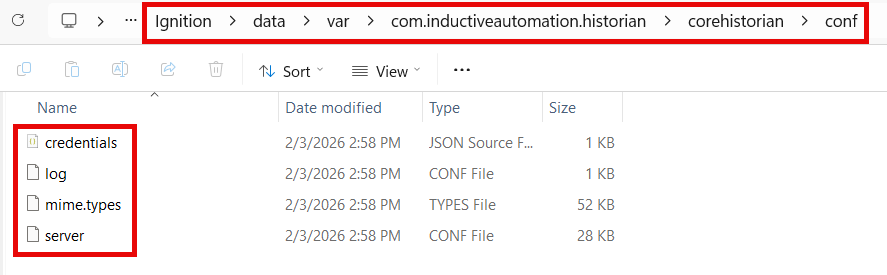
Core Historian Configuration File Support
The Core Historian's embedded QuestDB instance now supports server.conf and log.conf configuration files, which will be auto-created with defaults if they’re missing.
This update is handy for those of you who are eager to roll up your sleeves and dig into QuestDB instances, as it provides additional configuration that exists inside the Ignition install directory. The embedded QuestDB server can now load and apply settings from standard server.conf and log.conf files upon startup.
This new feature boosts your flexibility with Ignition, enabling you to use standard QuestDB configurations, such as file-based logging. It also allows for more robust configuration while maintaining necessary security restrictions for an embedded environment.
Tag-Level Wildcards in Event Streams
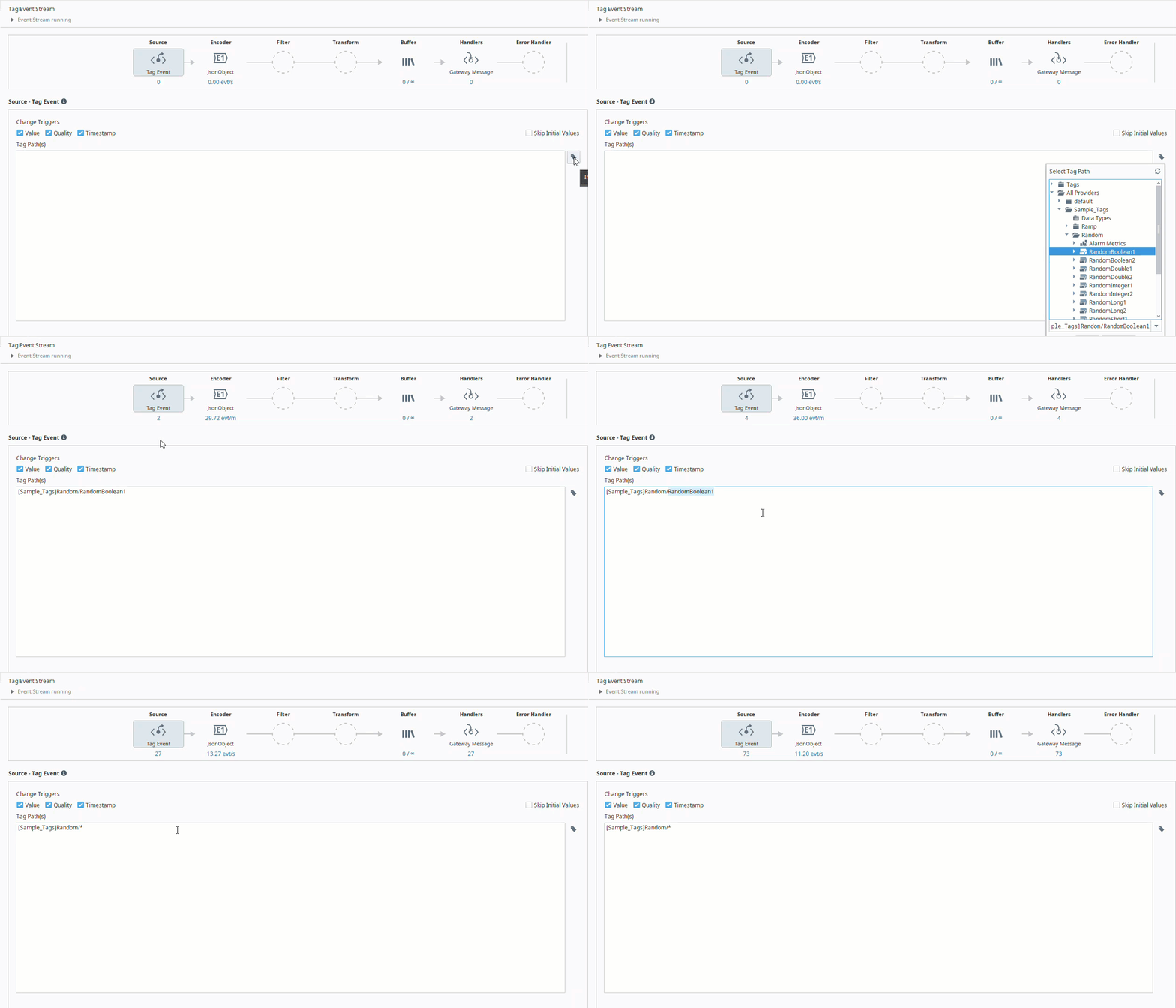
The next major update is for Event Streams, which now has support for tag-level wildcards on tag event sources.
Put simply, when you add a wild card, it's going to tell the event stream to look at multiple tags instead of just one. To offer a couple examples of what you’ll now be able to do:
- Using the asterisk (*) in the tag path [default]Folder/ramp* would return any tags prefixed with “ramp” in Folder.
- Using a single question mark (?) in the tag path [default]Folder/Tag? would return tags that start with “Tag” followed by a single digit (so it would return "Tag3" but not "Tag10”).
This new feature enables you to capture events from a group of related tags without having to provide a specific list of tags. By being able to trigger more tags at a time inside of a tag path’s window, you’ll cut down on how much typing you have to do. Even if you have 10,000 tags in one folder, you can now read them all with a single wildcard.
Overall this new feature is a great help to streamline your workflow for event stream processing, and makes it far easier to connect your tags to external systems.
DNP3 Driver Connection Diagnostics
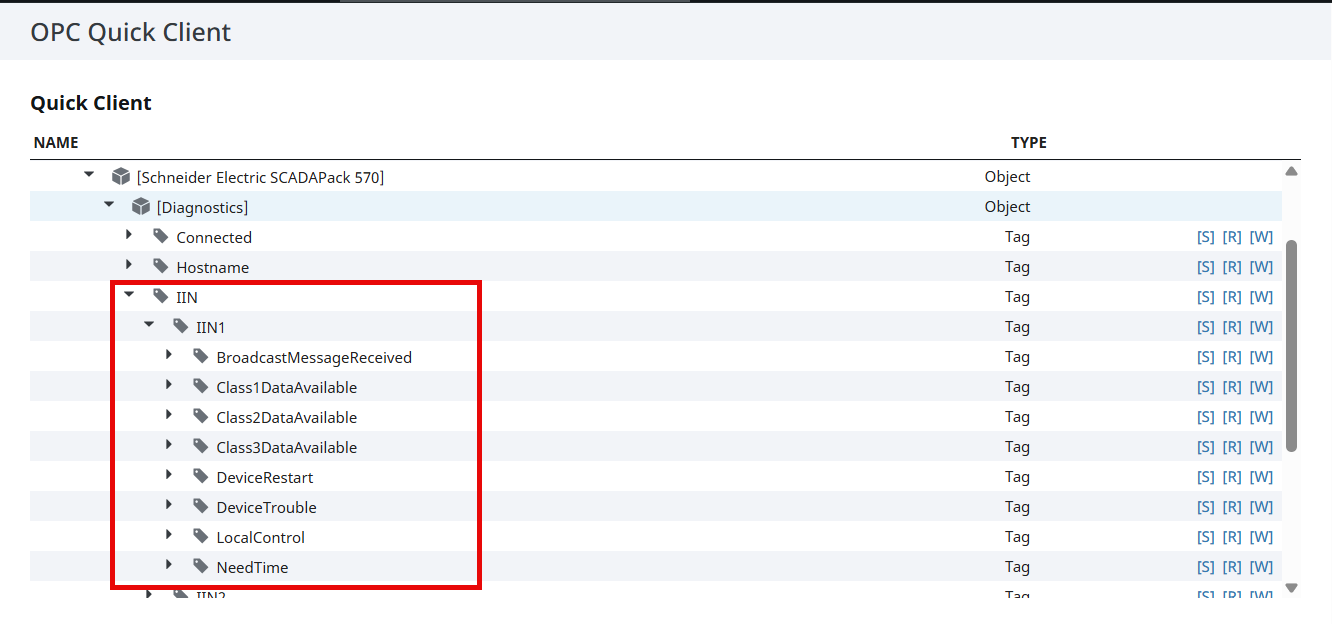
With the latest version of Ignition, you’ll get built-in diagnostic tags that help describe the status of the DNP3 Driver connection.
Now, Internal Indicator (IIN) bits for IIN1 and IIN2 bytes are included in the diagnostics address space. The following bits for IIN1 are available:
- BroadcastMessageReceived
- Class1DataAvailable
- Class2DataAvailable
- Class3DataAvailable
- NeedTime
- LocalControl
- DeviceTrouble
- DeviceRestart
And the following bits for IIN2 are available:
- EventBufferOverflow
- ConfigurationCorrupt
The new tags empower you to monitor the health of a DNP3 Driver connection, so you won’t be left in the dark about its status.
Honorable Mentions
While the above features might be the source of the biggest buzz for 8.3.4, there are a number of smaller, but still impactful, new features to take a look at.
Perspective Session Failover Triggers
Perspective has added failover triggers for sessions that will redirect to redundant backups in the event of Gateway status codes 502 or 503.
New Current Breakpoint Property
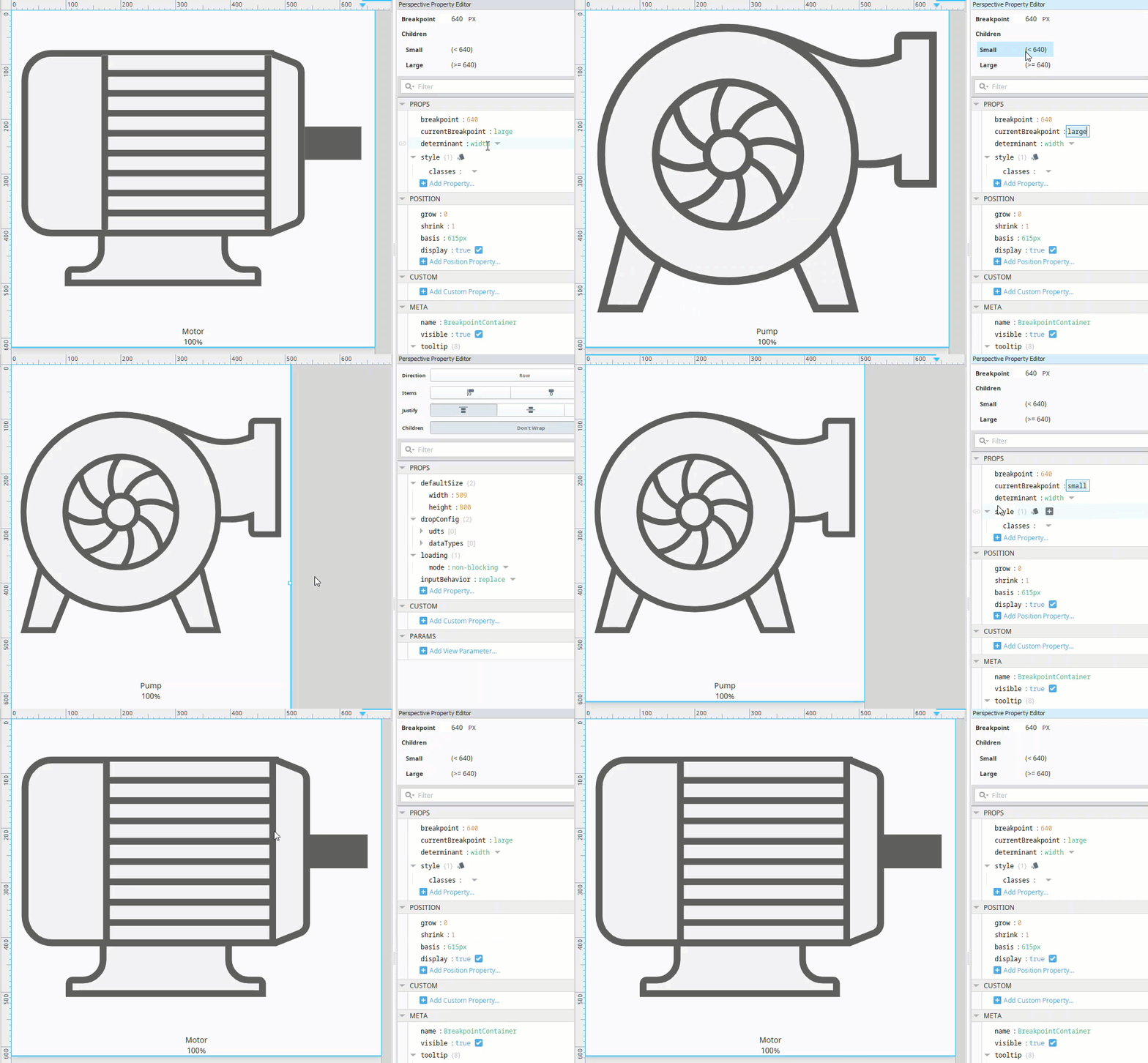
Another addition to Perspective comes in the form of a new read-only currentBreakpoint property in the Perspective Column and Breakpoint containers, so you can quickly see which breakpoint is active based on the current width of your view in the designer.
New Color Disabled Property
This final Perspective update gives a small boost to your abilities to customize, with a new color.disabled property in the Perspective Toggle Switch Component. This new property lets you set what the color of the slider will be when the component is disabled.
Route-Actor MDC Key
Lastly, 8.3.4 adds a route-actor MDC key to Gateway log messages originating from route API code paths. This includes the username of the user logged into the Web UI, the API token name and client IP address pair, or the security zone names and client IP address, depending on the access control strategy used.
This provides a simple way to quickly enable relevant loggers that have to do with Gateway API issues, making it exceptionally helpful for both troubleshooting and diagnostics.
Barrelling Toward the Next Release
Find out more about the updates in 8.3.4 in the release notes and the Ignition user manual. And be sure to stop into the ideas portal to upvote feature ideas you like, so you can help shape the future of Ignition.
Look out for the Ignition 8.3.5 release train, which will come whistling into the station in early spring.