Stop Struggling, Start Scaling Your System With Ignition
43 min video / 36 minute read Download PDFSpeakers
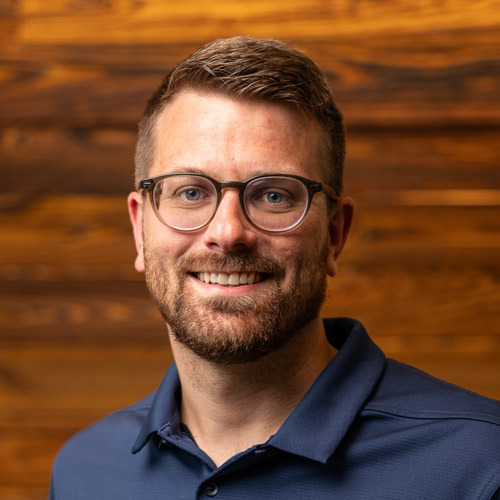
Reese Tyson
Senior Sales Engineer I
Inductive Automation

Alex Klein
Digital Plant Manager
Vertech

Addison Waege
Scrum Master
Vertech

John Williams
Regional Manager, PNW Automation
DMC Inc.

Dragana Nikolova Cvetanoska
Head of Project Management
Enuda

Ross Mowry
System Integration Engineer
Multi-Dimensional Integration
Are you struggling to modernize your OT systems? Many organizations face the same challenges, often due to fragmented infrastructure, obsolete technology, limited connectivity, and restrictive licensing. These factors can make scaling seem like an unwinnable battle — but it doesn't have to be.
Ignition is an unlimited platform for enterprise integration, industrial applications, and more, designed to address these very issues. It delivers true scalability through flexible architectures, enterprise-wide expansion capabilities, and a license model that actually supports your growth. This webinar offers concrete proof: you’ll hear directly from system integrators who will share scalable solutions they've deployed for real organizations across various industries.
- Easily expand SCADA, MES, and other industrial systems
- Add unlimited tags, sites, and clients as needed
- Update or replace existing solutions with modern technologies
- Get fresh inspiration for your own automation projects
Register now — even if you can’t attend, we’ll send you the recording!
Transcript:
00:00
Reese Tyson: All right, well, welcome in, ladies and gentlemen. Welcome in to today's webinar titled Stop Struggling and Start Scaling Your System With Ignition. I'm Reese Tyson. I'm a Senior Sales Engineer at Inductive Automation. We're not just talking about standard installs today. We've invited five of our premier integrators to showcase the projects that made us really stop and kind of take notice of what they're doing with Ignition at scale. And so you're going to see some incredible projects today. But before we jump in, let's go over our agenda today for the next hour. So first I'll introduce you to our awesome panel of guest speakers and give you a quick overview of Inductive Automation as well as our software, Ignition. And then we'll dive into today's topics by exploring four different projects that show how Ignition lets you scale out really any kind of system.
00:58
Reese Tyson: After that, I'll share a little bit more information about Ignition, and then we're going to use the remaining time to answer questions as we always do on these webinars. So to submit a question, just type it into the Q&A area, and we'll answer honestly as many as we can get to today. We have a lot of info to cover, so we'll probably have a shorter Q&A session, but we're going to get to as many as we can. But if we can't get to your question today, well, certainly reach out to us, and we'll be happy to answer it there. So we're also recording this, and the slides will be available after today's webinar. So tomorrow you'll be able to find all the recordings and information on our website there. So let's meet our guest speakers. All of them work for companies that are part of Inductive Automation's Integrator Program, and together they have many years of experience working with Ignition and other technologies. So let's start with just going left to right here. As you see, we have quite a few. Alex over at Vertech. Alex, do you want to give us a quick intro to yourself?
02:06
Alex Klein: Sure. My name is Alex Klein. I'm a digital plant manager at Vertech. I've spent a little over a decade working in the Industrial Automation space. I started on the plant floor programming PLCs, and I've slowly worked my way up the stack into MES integrations, ERP, and all that good stuff.
02:21
Reese Tyson: Perfect. Looking forward to hearing about your guys' project. Addison, you're also at Vertech, but you're a Scrum Master. What does that mean? What does that role look like?
02:30
Addison Waege: Yeah, thanks, Reese. My name is Addison Waege. I'm a Scrum Master at Vertech. So a Scrum Master is primarily dealing with the implementation of agile development. Agile development goes really hand in hand with this kind of scalable architecture. It allows us to be able to develop fast and develop efficiently for our clients. So that's kind of my primary role and responsibility at Vertech.
02:52
Reese Tyson: Excellent. Over to you, Dragana.
02:56
Dragana Cvetanoska: Hi, I'm Dragana. I joined Enuda six years ago while completing my degree in computer science, and today I'm head of Project Management and a partner in Enuda. And yeah, at Enuda we focus exclusively on delivering Ignition-based projects in Europe.
03:23
Reese Tyson: Thank you, Dragana. Over to you, John.
03:27
John Williams: Hey everyone. I'm John Williams. I'm the Regional Manager for automation in the Pacific Northwest at DMC. I'm based in Seattle. I'm a Controls Engineer by background and still in practice, but I spend more of my time on Project Management and team coordination, supporting PLC, SCADA, and MES projects with a lot of hands-on Ignition experience along the way. Glad to be here.
03:50
Reese Tyson: Excellent. Thanks, John. And last but not least, Ross.
03:54
Ross Mowry: How's it going? I'm Ross Mowry. I work for Multi-Dimensional Integration. We are based out of South Central Pennsylvania. I have worked on everything on the automation stack from plant floor to MES/ERP integrations.
04:11
Reese Tyson: Excellent. Thank you all once again for joining us today and sharing your experience with the Ignition community. It's really appreciated, and I know a lot of folks are getting some great value out of this webinar. So, like I said before, next up on the agenda, let's go over a quick review of Inductive Automation and Ignition for those that may not be aware of us. So again, in case you're not familiar with Inductive Automation, here are a few facts about our company. Our software, Ignition, is used by 69% of the Fortune 100 companies. So literally it's used every single day inside of some of the largest companies around the globe. We have 5,000 integrators worldwide in our Ignition integrator program, and we have a very diversified customer base across many different industries with thousands of Ignition installations in over 140 countries.
05:07
Reese Tyson: We've been in the industry for 23 years there, and we have over 400 employees in the US and Australia. Now that's Inductive Automation. We created a software called Ignition. It's a universal industrial application platform for SCADA, MES, IoT applications, and honestly a lot more different applications. It acts as a hub, a central hub for everything on your plant floor and beyond. You can really build any type of industrial application with it. And it's web-based, web-managed, and web-deployed to desktops, industrial displays, and mobile devices. You can view it on your phone. It has unlimited licensing, it's cross-platform, and it offers industrial strength and security. Ignition is one of the most scalable industrial platforms out there, which is what we're focusing on today.
06:06
Reese Tyson: So one of the factors that limits scalability typically is restrictive licensing. But as I mentioned before, Ignition is very, very unlimited with our unlimited tags, unlimited devices, unlimited database connections, clients, sites, and so much more. So Ignition's flexible architectures are really based on our modular and server-centric web deployment model, which enables us to easily have client development from a central server across one site, across multiple sites, or even in the cloud. But to really, truly appreciate how scalable Ignition is, I didn't want to just talk about it. I wanted to bring in some of our integrators so you could hear from them directly on how Ignition is being used in a scale-out way around the world. So talking about bringing in integrators, Alex, I'm going to start with you, both you and Addison, and just talk about one of your projects that you've created over at Vertech.
0:07:12.3 Alex Klein: All right. So what Addison and I are going to talk about is scalability in data centers. So in data centers, there's a lot of data to move around and collect. And as they've gotten bigger and bigger, we've seen our overall architecture to handle these massive data volumes change. And what I want to do is walk you through this architectural evolution. Now, as a quick disclaimer, the numbers and things that I'm going to be sharing are very specific to the application that we built and the environments that we're testing in. You might have different numbers based on your unique use case, but the overall lessons that we've learned here are something that we feel are worth sharing. So here's where we started. For us, a million tags in a data center is an extra-small to small data center.
07:55
Alex Klein: For a lot of people, when you start talking about millions of tags, they go, "Whoa, this is a really big enterprise already." But for us, this is a starting point. Now, when we started doing these smaller data centers, something like this worked. We had I/O gateways, we had a broker, and we had a central gateway. On those I/O gateways, we had 200 to 300 PLC connections, mostly doing Modbus, and around 400,000 to 500,000 tags per I/O gateway. At that central gateway, we're able to catch around a million tags in the engine. We're able to do our historization, visualization, alarms, and all of the data aggregation comfortably. The system's stable. If we had to do a transmission refresh at an I/O gateway, things didn't start to fall apart. Everything was nice and clean. But then we had to start getting bigger.
08:43
Alex Klein: What we found was with the way the app was structured and with the technology available to us, we were able to get to a stable state at around 2 million tags. For us, this firmly sits in the realm of a small data center. And we knew that we needed to get a little bigger. And as we were testing out our application and pushing the limits, we broke something. When we added that fifth I/O gateway, pumping an additional 500,000 tags into the central gateway, we started to see some performance degradation. Whenever we brought that new I/O gateway online and it did its rebirth, that central gateway catching all of those new tags was actually overwhelming the internal SQLite server. So it was interesting. We worked with the IA folks, and we discovered some true software limitations.
09:35
Alex Klein: But through that, as we were working with our IA friends, through some brainstorming sessions, we landed on a prescribed scale-out architecture. So this is where we ended up. For a lot of you, if you've looked at the server sizing and architecture guide, this should look familiar. This architecture is something that we identified as potentially being able to handle our needs. But there was a really big risk that the team identified. The app that we had built was structured around that original architecture, and they were preparing for the worst with regard to overhauling the application. This is where the true scalability of Ignition came into play, and we ran into some really good news. When we started to test this new architecture, the team was pleasantly surprised at how Ignition as a platform was able to adapt to the new architecture with minimal rework.
10:25
Alex Klein: Something that we thought would actually take months to transition to and test out this architecture took just weeks instead. So what we ended up having is a clear path forward for horizontal scaling for our system. Ultimately, for our data center platform, we need to be able to hit tag counts of 20 million. So we're not talking about a small amount of data here. And in the data center world, if you're familiar, it's a lot of rapidly changing tags, and it's a lot of really quick control that needs to happen. So what we ultimately landed on was this state where we could horizontally scale as needed. And at this point in time, we haven't figured out what the next breaking point is, but all of the early returns since transitioning to this new architecture have our customer really happy.
11:11
Alex Klein: So kind of to summarize this initial piece, Ignition as a platform allowed us to scale our ability to collect and gather and centralize all of this data. We had to do minimal rework, we had a clear scaling plan, and ultimately it led to Vertech having a deeper understanding of how Ignition as a platform functions under the hood. And most important, we had a happy customer. But something is that when you start scaling out, it's not just about how big you can grow; you must also be able to maintain that system. And I'm going to pass over to Addison here to carry on.
11:49
Addison Waege: Thanks, Alex. So yeah, as Alex mentioned, maintainability in these scaled environments is also extremely important. Everything that we've shown up to this point was developed in Ignition 8.1. And Ignition 8.1 leaves something to be desired from a maintainability standpoint, specifically the internal SQLite database that is kind of present on all those gateways. And that makes things really difficult to maintain. You have to take a lot of gateway backups; you have to do a lot of things manually. And as we move into this more digital age, we are really starting to look more at these CI/CD tools that a typical IT stack would usually have and this idea of architecture as code to be able to deploy these things. So it's easy when you have one or two gateways to be able to maintain this stuff manually, but when you start to deal with dozens or even hundreds of these gateways, you really want to start to be able to work with these things as code.
12:43
Addison Waege: So what you see here is actually a very realistic architecture diagram with a lot of the different technologies that we would use in our typical tech stack. And all of this in 8.3, we've now been able to throw into Docker containers and manage all of this from a central GitHub repository. So now instead of having to go to all of these different environments and make changes manually, we can basically with one click go and deploy to this entire architecture. And 8.3 has made that incredibly simple. If we go to the next slide, the other thing that 8.3 has allowed us to do is better source control. One of the best features that we enjoy about 8.3 is the different deployment modes that the gateway allows you to do. So we can now have that architecture that was on the previous page be deployed multiple times across multiple different environments.
13:32
Addison Waege: We now have a dev environment, a build, a QA, a stage, and a prod environment that are all centrally managed by a Git repo and can all be pushed to basically with one click. So Ignition in 8.3 has made this incredibly simple, incredibly simplified things such that the containerization and the deployment modes specifically are what's allowing us to not only scale the environments but also scale the maintainability of the application. And the question always comes up, "Well, what's next?" Where can we go from here? And what does the future look like? So today, one of the things that we're using in a lot of our data center architectures is a graph model.
14:14
Addison Waege: If you've ever worked with these graph models before, they're very tedious to generate. And we use these graph models to generate all of our UDTs and tag structures inside of Ignition. One of the ways that we're looking to kind of scale this out in the future is to start making use of AI tools and LLMs to actually generate those graph models for Ignition so that when we go to a new data center site, we now can not only have the entire architecture distributed as code, but now also the graph model itself too from something like an LLM that can parse it from P&ID diagrams, PLC programs, electrical schematics, and any standards that you have. So again, this is really where the future is going for containerization and standardization and orchestration. So, and that's kind of our data center project. I'm going to shoot it back over to you, Reese.
15:01
Reese Tyson: Sure. Yeah. Thanks to both of you. And I just want to underscore what Alex, you mentioned at the beginning. As when you start getting into millions of tags, it's really, really important to understand that one size does not fit all or one methodology does not fit all. Because even something as simple as, hey, of my million tags, 1% of those are changing at any given second versus 5% of those are changing at any given second. If you're talking about a 10 million tag system, that is a significant difference. So those are the kind of conversations that I and other sales engineers here at Inductive Automation have on a regular basis, conversations with end users. So we're happy to have those conversations. Just let us know; reach out to your account executive. One thing I did want to mention before we move on to the next project here is while we're talking about it, do you guys... There are a couple questions about polling rate as well as tag changes per second in that architecture. Do you guys have any quick kind of general idea around those numbers?
16:08
Alex Klein: So in this particular environment, depending on the tags, we have tag groups of, like, 1 second, 5 seconds, and in some cases, 10 seconds. But overall we have a 20 to 30% second-over-second tag change. Data centers have a lot of values and a lot of things that are moving very, very quickly. And in a lot of situations, there's even sub-second control of what's going on from a heating and cooling perspective, power distribution, and all of that. So that's why some of those I/O gateways might be a little bit smaller than people anticipate, and it's because they're having to make all of those connections and gather all of that data a lot faster than maybe in a typical manufacturing environment.
16:49
Reese Tyson: Perfect.
16:49
Addison Waege: Yeah. In some of the data center stuff that we're doing now as well, we're starting to look at some power distribution stuff that is on the millisecond timeframe. So even shorter than one second in some of the architectures that we're seeing now as well.
17:02
Reese Tyson: Yeah. Yeah. And again, that's a conversation that we can certainly have. Everybody's a little bit different, and I talk to people every single day, all day, about this stuff. So happy to have that conversation. All right, moving on to Dragana, you're next.
17:22
Dragana Cvetanoska: Yes. Okay. So today I will walk you through how we transformed a system from an unusable state into a scalable solution. And the turning point was not query tuning. It was redesigning the architecture around Ignition's strengths. So the transformation was done for a client who was already operating on a legacy SCADA platform, and the system has grown over time, but the architecture had not evolved with it. And eventually, the historical reporting was unusable, as we would run a query for a single data point, data on one hour, and the results returned basically the next day. And what should have been a lightweight time series query was triggering full table scans and excessive resource consumption. Of course, some of the root causes that we have identified are that there was no defined polling strategy and no standard behind the data points' organization.
18:45
Dragana Cvetanoska: The data itself was with very limited data access, and the entire architecture was not able to scale. But most importantly, the data acquisition, the storage, and the reporting were tightly coupled. And every heavy or not-so-heavy historical query directly impacted the operational performance, and the entire foundation needed to be designed. And that's exactly where Ignition became the enabler. So what you see here is the core of the solution that we used is a scale-out architecture where we have the back-end gateways and we have the front-end gateways. Of course, the back-end gateways handle the device connection and direct PLC communication. There we have defined the tag standard and the historical data collection. As next to each back-end gateway, we have a PostgreSQL server.
19:56
Dragana Cvetanoska: And on the front-end gateways, we have supervision; we have, of course, the Perspective sessions; and we have all dashboarding and reporting. And this layered approach enabled independent scaling of each of the components. And it was very important in this scenario that each standard area have a dedicated PostgreSQL database server deployed locally on a shop floor area. And the reason behind that was operational independence. This meant that data acquisition, tag execution, and historical storage remained fully functional even if the connection to that central front-end gateway was interrupted. If the network link, of course, between the front-end and the back-end was lost, the back-end gateway continued communicating with the PLCs and writing the data to the local PostgreSQL server.
21:02
Dragana Cvetanoska: While this architecture that we see here on the diagram is designed for a per-site level, we also have an additional enterprise level where data from currently three sites is transmitted via MQTT to this higher level where we have visualization for some high-level aggregated data. And that structure aligns with the UNS concept where all site-level data is published into a centralized data layer. Okay, so for diving deeper into the back-end layer or the combination of the standard gateway and the PostgreSQL server, here we, of course, didn't just connect the PLCs, but we engineered the data acquisition with the operational needs, and we structured the tag model using the ISA-95 standard. We have definitely leveraged the UDTs from Ignition, and that improved maintenance and significantly improved and optimized the historical queries.
22:18
Dragana Cvetanoska: Here it's also important to mention that Ignition's built-in store-and-forward functionality was leveraged, because if the database connection was interrupted, data was buffered locally at the gateway. And then lastly, we have combined a PostgreSQL server with an extension of Timescale, where we leverage the use of hypertables. So on the front end, we have centralized site-level supervision without impacting the back-end performance. All communication between Level 1 and Level 2, or the back-end gateways and the front-end gateways, is done through a gateway network. This also means that each production area can operate independently and yet still contribute to that centralized view of operation between different shop floor areas. Again, the most important part is that whenever the client expands, we simply deploy an additional standard gateway and connect it to the network, and no redesign is required.
23:34
Dragana Cvetanoska: So here the horizontal scaling was a key point. If we can go to the next slide, and I think the final slide. So here as a result, Ignition gave us the architectural flexibility to decouple, to optimize, and to scale. Now we have historical queries returning in seconds, of course depending on the time range that is selected. Then we have a system that scales as operations expand. Engineers have reliable, fast access to data, and the backend performance remains stable even after underreporting load. Thank you.
24:21
Reese Tyson: Excellent. Thanks, Dragana. Yeah, I think that's a really incredible story to tell. Scaling out those gateways can take you from a second or days down to seconds when running a query. That's awesome. Okay, up next we have John over with DMC.
24:39
John Williams: Great. Yeah. So, quickly, a background on DMC. We were founded in 1996 in Chicago, Illinois, and are an Ignition and Sepasoft premier integrator. We started doing Ignition in 2016 and by this point have, I think, 100-plus Ignition developers. So we can do small site deployments and quickly scale up to enterprise-level rollouts. We really do everything in the industrial automation landscape: PLCs, HMIs, MES, and robotics. That breadth lets us take a holistic view and make solutions that fit. So the question we're trying to answer today is how do we scale from a pilot facility to a production facility? And I'm going to be talking about a project we did with Sila Nanotechnologies. So Sila is a battery material manufacturing company that creates silicon-based anode materials to improve the energy density of lithium-ion batteries.
25:28
John Williams: They started in Alameda, California, and still run a pilot line there, but over the last few years, they've also been ramping up a full-scale production plant in Moses Lake, a city in eastern Washington. This means they've had to confront how to scale from around eight PLCs and 50,000 tags to 25-plus PLCs and hundreds of thousands of tags. So the first thing I want to talk about is just some common scaling problems from the integrator's perspective and more on the program level before we get into the technical deep dive. So we identified five problems here. The first one being just a lack of investment. If you go into a scale-up project with the mindset of doing the bare minimum to get running, that might work for a pilot plant, but it's going to be really painful later. Lack of internal resources is another key problem.
26:15
John Williams: Engineers are often already overtaxed and don't have time for big-picture design if they're still supporting an existing line. As you get into these large-scale projects, there's also a larger scope and just more voices in the room. So you're working with EPCs, more OEMs, and all sorts of different contractors, and that just adds complexity and misalignment risks. You also end up with limited vendor visibility. So you can have very strong internal development standards, but those can break down immediately if an OEM drops in a machine that doesn't use your standards. And then last, just geographic differences. So as you get a new plant, you're going to be looking at new time zones, different teams, and different sorts of local issues.
26:55
John Williams: Sila has done a really good job of mitigating some of these risks, and I just want to talk about how. So the first way is they've got dedicated internal teams that are supporting the new plant work versus their existing pilot line. They also do a really good job of upfront expectation setting and pushing their hardware and software platforms down to OEMs, or at the very least getting their source code. And then last, they've supplemented with external resources where they need to. So I'm going to be talking about four of the technical issues that we ran into on this project: control standardization, flexibility and uptime, key data access, and then the consistent user experience. So the first question is, how do we standardize control streams between different tools, systems, and developers?
27:39
John Williams: Sila started with really a variety of tool vendors with different standards and different PLCs and different UDT structures among both the vendors and even the internal Sila teams. So the first thing they did was to create a set of standard smart UDTs that are used across all of their equipment. And Ignition's UDT flexibility and support were key to this approach. Next slide. The way that Sila structured the UDTs was, again, standard across all of their devices and had kind of a unique structure. So they started with some industry standards and then built out their own structure where each different type of device has the same set of four sub-UDTs: meta, command, event, and telemetry. Each of the UDTs serves a different purpose and has a different set of components per type of device.
28:27
John Williams: So each of these different UDTs allows different data logging and display strategies, and they allow easy structuring of historical data versus having all the information bundled up in a single standard UDT. And to enable the use of these UDTs, they developed a spreadsheet that was available internally as well as to all vendors. So this allowed really quick and easy import of UDTs from Sila-developed PLC code. However, you can see in the columns on the right, it was also used as a way to allow vendors to map their own tags into the Sila standard UDTs such that their Ignition HMI could use the same objects for different sorts of PLC codes. So folks were able to keep their own code structure but serve the data up in the same way so that it could be displayed with the same Ignition components.
29:14
John Williams: The next question we were trying to answer was how do we bring tools online quickly and provide flexibility for future downtime? Sila is a startup and R&D environment, so this means they need seamless tool onboarding and they have really high data volumes as they log data and try to improve their process. Originally, they used a gateway network for everything, which led to really tight coupling of OPC data. This also required a lot of manual setup and didn't scale super well. They landed on a structure of using the gateway network for distributing project resources and then MQTT and Cirrus Link modules for tag data. So tools are published once, and then consumers subscribe really to only what they need.
29:57
John Williams: This decouples all the different gateways in the system and makes them more flexible. The MQTT Engine also automatically discovers tags, which really makes onboarding new tools easy. This is a nice hybrid model, so it's easy to use and leads to really fast and resilient tool onboarding. The next problem here is key data access. So how do we generate and provide key system data to key personnel? So here the goal is we want to provide data when and where people need it, be able to really log all parameters by default, and then simplify the backbone for this data collection. So previously, tools were really just logging separately and had brittle one-off connections. This required people to make manual requests for data, and there were inconsistent formats across OEMs and teams and PLCs.
30:45
John Williams: It was just hard to trust the data. Sila developed a unified namespace approach, so a single centralized model is enabled by MQTT and standardized tags. This meant one namespace with many consumers and democratized access to this data across all the systems to get it to the right people at the right time. Next slide. So here's kind of a diagram of what that looks like in practice. All the devices publish once via MQTT to a HiveMQ broker. That broker then allows access to the standardized data all in one place, and the UDT structure that they developed makes that data easily understandable. All the various consumers, whether it be Historian, Perspective, Seeq, or an internal MES application, all subscribe to that single location and can easily get the data. And then the last challenge is creating a consistent user experience and making sure that there's a single look and feel from the edge through to the central control room.
31:43
John Williams: To start the project, they really had disparate OEM and internal team HMIs, and there wasn't standardization on how to display data. This inconsistent approach between teams and developers meant that operators faced a patchwork of interfaces. The solution here was to create deployment pipelines via the gateway network and then develop screens that use session properties and tag parameterization such that the exact same screen could be used on multiple different gateways and display data correctly. So this is an example of some of the HMI devices that ended up on the screens and were developed. The UDTs were really the basis for the objects, and they each have multiple different representations that can be used at different locations even though they share the same tag UDT.
32:32
John Williams: So an analog display might have a very small numeric indicator in some places and a larger one with more information in others. This allows for displaying data in different ways depending on the specific required context. The pop-ups that came from these device UDTs are shown here. And so we talked about how the data is really divided up into the same four UDTs throughout the project on the tag side, and those UDTs were used to organize the data on the device pop-ups as well. This makes it really easy to find the data you're looking for no matter what device pop-up you're looking at. And it also makes it easy to just enable access control per property. And the standard user interface, really based on that standard data UDT structure, makes sure that operators and engineers are able to quickly digest and use these HMIs. And then finally, I just wanted to discuss how screens are deployed.
33:24
John Williams: Again, the key thing here is that the edge and central gateways are using exactly the same screens. Those screens are using session properties and different tag bindings to handle differences in the tag providers between the edge and the central gateway. And the screens are pushed from the central gateway to the edge with the enterprise administration module. This architecture and strategy just really allow for efficient development since you really only need to do it in one place and again achieve the goal of a consistent user interface from the edge to the control room. So thanks. Back to you, Reese.
33:57
Reese Tyson: Excellent. Yeah, I appreciate you going through that, John. A very, very well-described project there, a lot going on. I appreciate the scale. It's also important, I feel like, for end users to have a similar experience. So I appreciate you kind of going through the visual side of things and how you manage that and those types of things. One of the questions that I see, I think it's specific to your architecture, and I want to say that it was referencing. I'm going to flip back to a couple here. I think that it was referencing this architecture. This person asks, "I missed what Ignition Edge was doing in architecture. Is Edge accomplishing something a full Ignition instance could not do?"
34:36
John Williams: I think the answer is no, but the Edge here is just serving as the actual connection to the PLCs and then a local HMI display as needed. So there wasn't necessarily a need for a full gateway in that location.
34:49
Reese Tyson: Yep, and I think I'll add a little bit to that too. A lot of times Edge is used in places where if connectivity, say to that MQTT server, that broker in the middle, does go down, you still have local operations as well. And another thing that it does a lot of times is provide a store-and-forward buffer as well as secure data transmission up to that broker. So if you do need to get it into the MQTT protocol, Ignition Edge can talk to those lower-level protocols, Allen-Bradley, Siemens, Modbus, et cetera, transform it into MQTT, and publish it up to that broker. So there are some other reasons why you might use Edge as well.
35:33
Reese Tyson: I just wanted to say thank you to all of you for your amazing projects. You've showed a lot of what you can do with Ignition, and several of you have also mentioned some of the things you're doing with 8.3. Ignition 8.3 is our latest version of the platform; it came out in September.
35:51
Reese Tyson: But if you aren't familiar with Ignition and the platform, you can go to our website, inductiveautomation.com, and download it for free. That literally takes three minutes to install. Just click through the defaults and you're up and running in a trial mode. You can reset that trial; it's a two-hour trial. You can reset it as many times as you want and just create a proof-of-concept out of that. So no cost, no obligation for you. We also have to kind of help get you started; we also have Inductive University. It's our free training website. It literally has, I think, over 800 different videos on there of how to learn Ignition and the different pieces and parts of the platform that you could utilize. So no matter what your experience level is there, you can always learn more at no cost whatsoever.
36:41
Reese Tyson: And then I'll also mention if you're outside of North America, we have a pretty extensive network of international Ignition distributors who provide the business development opportunity, sales, and technical support in your language and in your time zone. So if you want to learn more about the distributor region, definitely visit their website as listed there on the screen, or contact our international distribution manager, Yegor Karnaukhov, internally here at Inductive Automation. If you'd like to speak with one of our Account Representatives, I think there were a couple questions about that in the chat; please call us at 800-266-7798. To reach our office in Australia, we also have an office there. Call the number there at the bottom of the screen, 1(300)-10-8088. And with that, let's go ahead and jump into our Q&A.
37:37
Reese Tyson: Looks like we have just a couple minutes here. As a reminder, you can always type your question into the Q&A section of the Zoom panel there. But let's go ahead and get to some of these questions here. I'm just going to start at the top, and I might direct these to some of our panelists here, depending on when the timestamp was, because I think some of these may reference some of the specific projects. But let's go ahead and jump in. Can one gateway be configured for multiple PLCs and data sources? Absolutely. As a part of our platform, we have a bunch of different drivers built in. So just to name a few: Allen-Bradley, Siemens, Modbus, DNP3. There's a whole host of them. Say there are probably 10 to 15 different ones. Typically we can connect to about 95% of the devices that are out there, and if we can't, we have OPC UA capabilities as well to connect up to a Matrikon or a Kepware to bring that data in via OPC UA.
38:40
Reese Tyson: So certainly that's a possibility there. There's another question here: where is historical data stored and how? So Ignition has the ability to store data with a tag history module, and so we can connect to any SQL database. So Microsoft SQL, PostgreSQL, and there was a time-series plugin that was mentioned as well for PostgreSQL, MariaDB, and any SQL database. It just needs a JDBC driver, a Java Database Connector, to be able to store that data. We also have a new Time Series Historian database. Yeah, Time Series Historian is not a database; it's a Historian built into the platform as of 8.3. So that's a possibility as well there. Can a connector be installed on the same gateway server? And by connector, that's a little bit vague. There are a lot of things that could be connected to Ignition, whether that's MQTT or whether that's a device or whether that's a database connection.
39:41
Reese Tyson: You can have multiple connections installed on the same gateway, no problem there. Like I said earlier, our licensing model is unlimited. So we have unlimited device connections, PLC connections, database connections, and concurrent clients. Really, the limitation is going to be on the hardware that's running the Ignition platform there, for example, the amount of CPU and RAM that you have allocated for that. At what point in the scaling does COV... And by COV, I'm assuming you mean change of value. At what point in the scaling does COV make sense for polling data in large projects? So I think what you're asking there, Chris, is the change of value is going to be important because there are typically two main parts of creating an architecture. Usually it's how many tags you... Well, I should say three.
40:39
Reese Tyson: Usually it's how many tags you have, how much those tags are changing, and then on the visualization side, how many concurrent clients do you have? And so when you're talking about change of value, there are thresholds for different pieces and parts of the architecture that, when you hit, make it make sense to go to another server. Maybe it makes sense to add in another MQTT broker, right? And so those thresholds are going to be different based off of what products you use and things along those lines. And those are the types of conversations that I can have, that a sales engineer can have with you to kind of walk through that situation specifically unique to what you're looking at doing. Just reach out to the sales rep on that to get that meeting scheduled. Looks like we have one minute left.
41:29
Reese Tyson: I'll cover it; I'm not going to be able to get to all of these, I apologize. But let's see. We already talked about PLCs. We can connect to a whole host of them. If we don't, we don't have a driver; you can always use a Kepware or Matrikon to connect and then use OPC UA to connect to that. There are a couple questions; I'm going to skip down a couple here. There are a couple questions about Sepasoft, and I think, was it Ross? Did you have some Sepasoft on your project that you mentioned? One of the questions was, "What was the reason to go with Sepasoft versus maybe doing something custom in Ignition?"
42:02
Ross Mowry: Yeah, really the integration and how much of a starting point you get with plugging it into Ignition. They understand the platform super well. They have a really good support team. We've kind of worked with Sepasoft products from MES 1.0. We previously had done some of that workflow orchestration with the settings and changeover module, so the batch procedure where we are kind of having that station cyclical process where we can bring in a phase for a script to call an API to an external system. We can bring in phases for loading a recipe or a track-and-trace integration. It really gives us that workflow engine platform that we do have that enterprise scalability functionality for.
42:54
Reese Tyson: Excellent. Yeah, thank you. And I think we're gonna end it on that. Thank you once again to all the panelists on here. Really appreciate you hopping on and sharing your knowledge and your projects. It's really exciting to see how folks are using Ignition at scale. But we'll be back next month with another webinar. Until then, you can definitely connect with us on social media and subscribe to all of our content, our weekly newsfeed email, et cetera. You can even see some of our latest blogs and case studies and videos on our website. So thanks again everyone for joining us, and I hope you have a great day.
Last Updated on: April 7, 2026